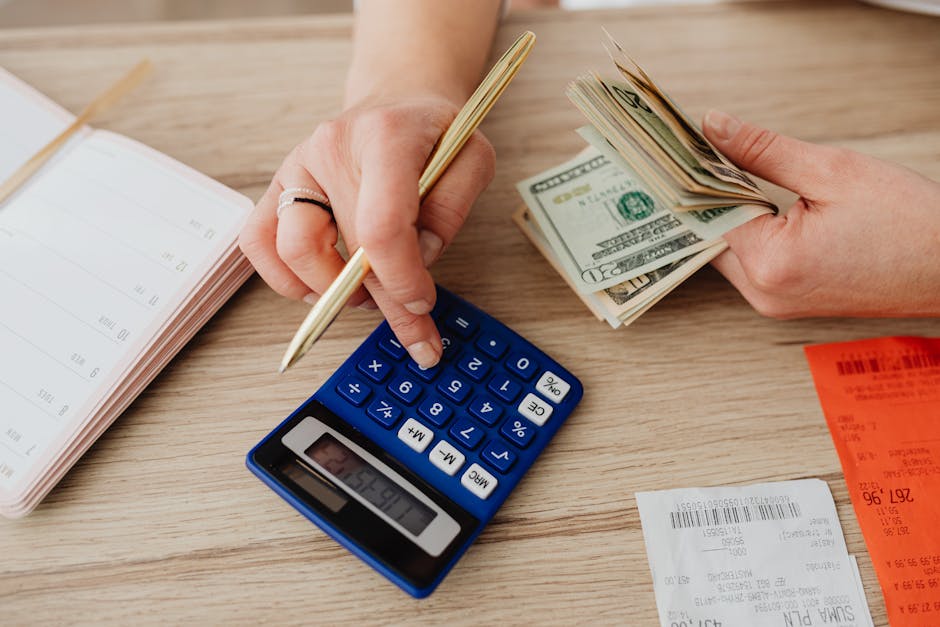
Photo by www.kaboompics.com on Pexels
The charge you don't remember approving
Somewhere on your bank or credit card statement right now, there's a small recurring charge you'd have trouble explaining if someone asked. Maybe it's $4.99. Maybe it's $14.99. It's not big enough to trigger alarm, and that's exactly the point — subscription pricing is designed to sit below your attention threshold. One charge alone never breaks the budget. Six or seven of them, quietly stacking month after month, absolutely can.
Most "cancel your subscriptions" advice stops at "check your bank statement," which is true but useless on its own, because the whole problem is that scanning a statement doesn't catch the sneaky ones. A charge labeled "SQ *DIGITALSVC" or "PAYPAL *MOBAPP847" tells you nothing. You need an actual method, not just a reminder to look.
Why a five-minute scroll doesn't cut it
Here's the thing that trips people up: subscriptions don't all bill monthly, and they don't all bill from the same account. You might have one hitting your checking account, another on a credit card you rarely use, and a third routed through PayPal or Apple's App Store billing — which shows up as one lump "Apple" charge no matter how many separate apps are actually inside it. If you only look at one account for one month, you'll miss anything that bills quarterly or annually, and those are usually the ones that hurt the most because you forgot they existed in the first place.
I've seen this play out the same way over and over: someone does a quick scan, finds two obvious streaming services they don't use, cancels them, and feels done. Meanwhile there's a $60 annual charge from a photo-storage app they tried once in 2024, sitting there undisturbed because it only shows up once a year.
The actual audit, step by step
This takes about 20 minutes and covers three months instead of one, which matters more than it sounds like it should.
1. Pull three months of statements, not one. Log into your bank, your primary credit card, and PayPal (or Venmo, if you use it for anything recurring). Three months catches quarterly billers; if you want to be thorough, pull the last 12 months once and just skim for anything that only shows up once.
2. List every charge under $30, no exceptions. Not "the ones that look like subscriptions" — every single one. Small recurring charges are specifically the ones your brain learns to skip over.
3. Google anything you don't instantly recognize. Search the exact merchant string as it appears on the statement, including the weird abbreviations. This sounds tedious, but it's usually a 10-second search and it's the step that actually finds the stuff you forgot about.
4. Separate "using it" from "meant to cancel it." Be honest here. A subscription you use twice a month is worth keeping. One you signed up for during a free trial and never opened again is not — and "I might use it eventually" is doing a lot of work in that sentence if it's been three months.
5. Cancel through the actual platform, not just the app. This is where people get stuck. If you signed up through Apple or Google's app store, deleting the app does nothing — the subscription lives in your phone's account settings, not the app itself. On iPhone that's Settings > [your name] > Subscriptions. On Android it's the Play Store's subscriptions menu. If you signed up on a website, you generally have to cancel there directly; email support asking to cancel if there's no self-serve option, since some services make cancellation harder to find on purpose.
A worked example
Say you go through this and find: a $9.99 streaming app you haven't opened in four months, a $12.99 fitness app from a January resolution, a $2.99 cloud storage upgrade you don't remember choosing, and a $45 annual charge for a design tool you used for one project. That's roughly $26 a month plus $45 a year, or about $357 annually — money that was leaving your account without you making an active decision about it each time. None of those were "wasteful" purchases in the moment. They were just choices that never got revisited.
Where the free trackers actually help — and where they don't
Photo by cottonbro studio on Pexels
Apps like Rocket Money, PocketGuard, or your bank's own "recurring charges" view can speed up step 1 by flagging patterns automatically. They're genuinely useful for catching things you'd otherwise miss. But don't treat the list they generate as complete — they miss charges that don't have a clean recurring pattern yet (like a quarterly charge that's only hit twice), and some of them charge their own fee for the "we'll cancel it for you" service, which is a little ironic given the whole point of the exercise. Read the terms before handing one of these apps access to your accounts, and skip the paid cancellation concierge — you can send one email yourself.
Set a recurring check, not a one-time fix
The honest opinion here: doing this audit once and calling it done doesn't work, because new subscription creep starts the moment you sign up for the next free trial. What works is putting a recurring 20-minute check on your calendar — quarterly is realistic, monthly if you're actively trying to tighten things up. Free trials are the biggest source of "how did I not notice this," so the single highest-value habit you can build is setting a calendar reminder the day you start any free trial, timed a day or two before it converts to paid.
FAQ
How do I find subscriptions that are hidden inside an app store charge?
On iPhone, go to Settings > [your name] > Subscriptions to see every individual subscription billing through Apple, even if the lump charge on your bank statement just says "Apple." On Android, open the Play Store app, tap your profile icon, then Payments & subscriptions > Subscriptions. This list is usually more revealing than people expect.
What if I can't figure out what a charge is even after Googling it?
Call the number on the back of your card and ask for a merchant lookup — banks can often identify a cryptic charge string even when a search engine can't. If it turns out to be unauthorized rather than a subscription you forgot about, you can dispute it directly with your bank.
Is it worth paying for an app to manage this for me?
For most people, no. The manual audit above takes less time than setting up and monitoring a third-party app, and you avoid giving another company read access to your bank accounts. It might make sense if you have a genuinely large number of accounts and subscriptions and you value the automated recurring check more than you value keeping your account access minimal — that's a fair trade-off, just go in aware of what you're trading.
The takeaway
Subscription creep isn't really about any one bad decision — it's about decisions that were fine at the time and just never got a second look. The fix isn't willpower or a fancy app; it's a specific, repeatable 20-minute process and a habit of checking free trials before they convert. Do the audit once this week, and you'll probably find at least one charge that genuinely surprises you.
Comments
Post a Comment